Contact count
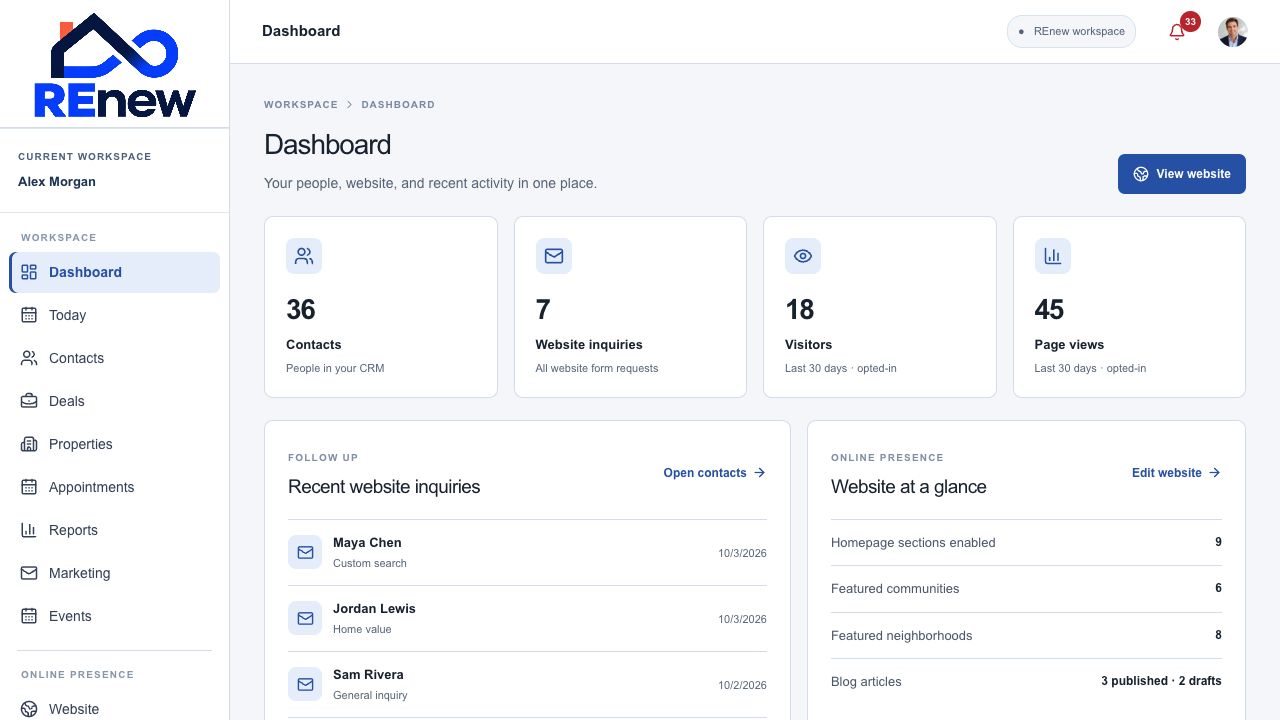
See how many people are in your CRM, then open Contacts directly from the summary.
Your business, in one clear view.
See the people, website activity, and recent inquiries behind your next move. Dashboard brings the essentials together before you dive into a specific workflow.
See how many people are in your CRM, then open Contacts directly from the summary.
See submitted website form requests and move into the contact workspace to follow up.
Review website activity for the last 30 days from visitors who opted in to analytics.
See the person, request type, and date behind recent custom searches, home-value requests, and general inquiries.
Check enabled homepage sections, featured communities, featured neighborhoods, and published or draft article counts.
Jump into Today, Contacts, Website, Reports, or Blog without searching through the full menu.
Open your website or included profile from the dashboard.
Scan the numbers and recent inquiries.
Open the relevant contact or workspace.
Continue the next step with the client’s context.