Start from a listing
Create a website from Properties or Listing Websites. Property facts and source photos populate the draft, with room for more content.

Give every listing a place to shine.
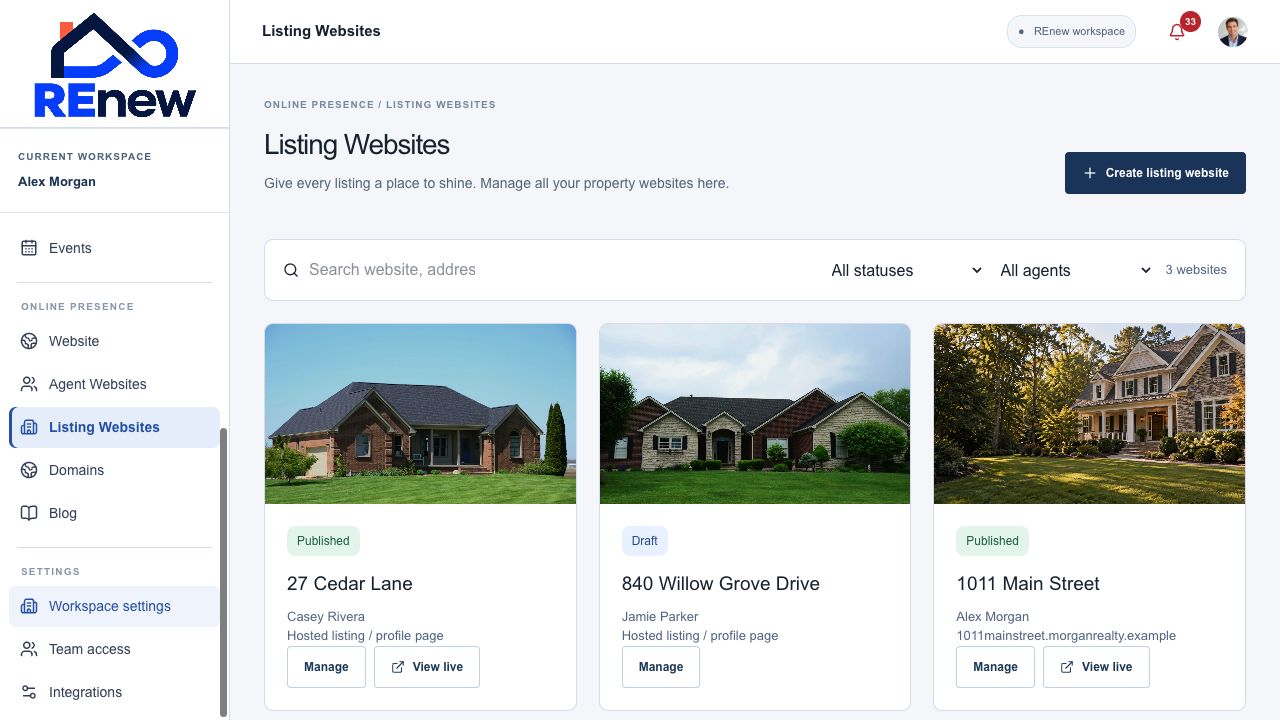
Turn a property record into a dedicated listing website. Present the home beautifully, connect interested buyers to your CRM, and manage your property websites from one place.
Create a website from Properties or Listing Websites. Property facts and source photos populate the draft, with room for more content.
Choose one of three distinct templates for your property’s presentation. Preview the layout before publishing.
Show a photo gallery, price, property facts, description, highlights, videos or tours, and the listing agent’s contact details.
Capture questions with website and property attribution, then route the inquiry using the workspace’s existing lead settings.
Prepare an open-house draft linked to the website. Published public upcoming events appear with REnew RSVP or configured external and Eventbrite registration.
Create a promotional campaign draft with the published website link. Review the content and audience before scheduling delivery.
Search sites, filter by agent and status, and page through your collection. Teams and brokers can manage websites within their organization’s access.
Save drafts, preview privately, publish, discard draft changes, restore a previous published version, and unpublish. Public visitors see the published version.
Connect an assigned subdomain or available whole domain and follow DNS, hosting, and HTTPS status in Domains.
Choose the property and website template.
Refine its photos, content, and open-house details.
Preview, publish, and prepare your promotion.