Member directory
Review the users who can access the workspace and their current roles.

The right people, in the right workspace.
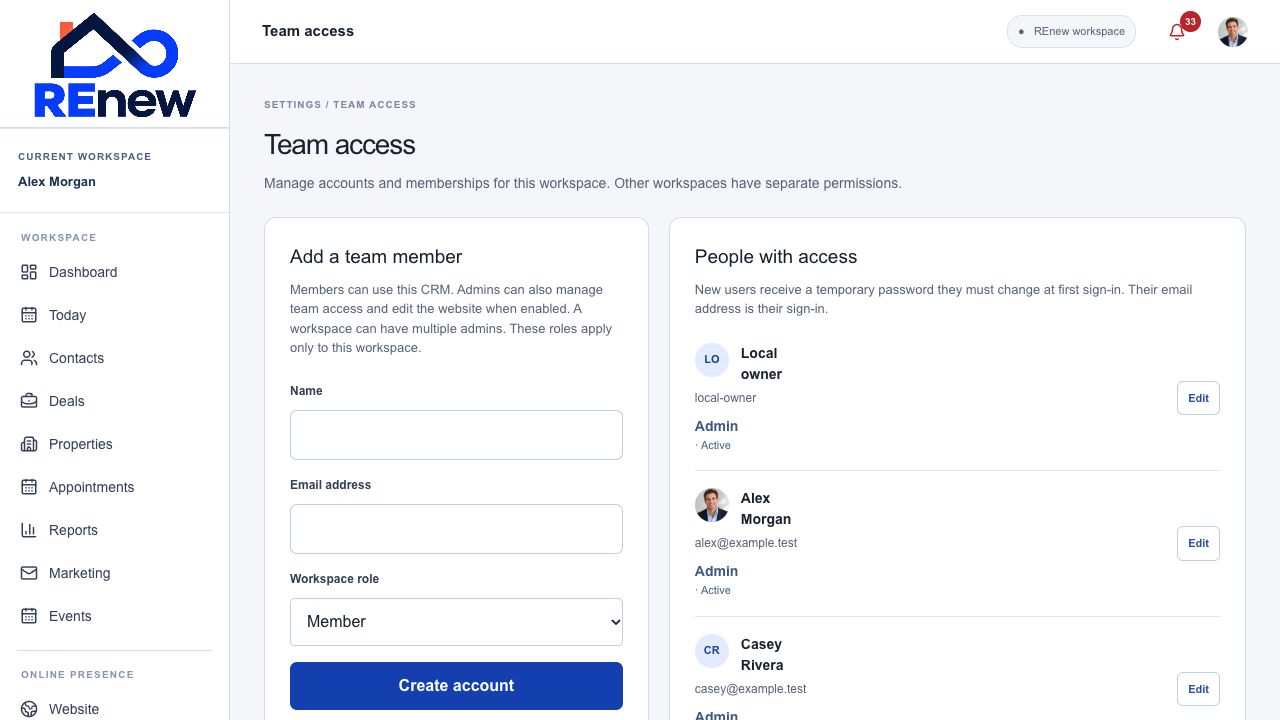
Workspace administrators manage member access while keeping each organization’s work within its permission boundaries.
Review the users who can access the workspace and their current roles.
Administrators can create a member account using its name and email and provide the initial sign-in details privately.
Add an already registered account to the workspace where authorized.
Choose the appropriate workspace role for the work a person needs to perform.
Administrators can reset a member’s password through the account-management workflow.
Deactivate access when a member should no longer use the workspace.
Workspace administration applies to the active organization; platform administration is a separate role.
Review the workspace’s member directory.
Add or link the appropriate account and role.
Keep access current as responsibilities change.