Assigned domains
See domains available to your workspace and which organization owns each assignment. Domain choices follow your organization’s permissions.
Your brand. Your address. Connected.
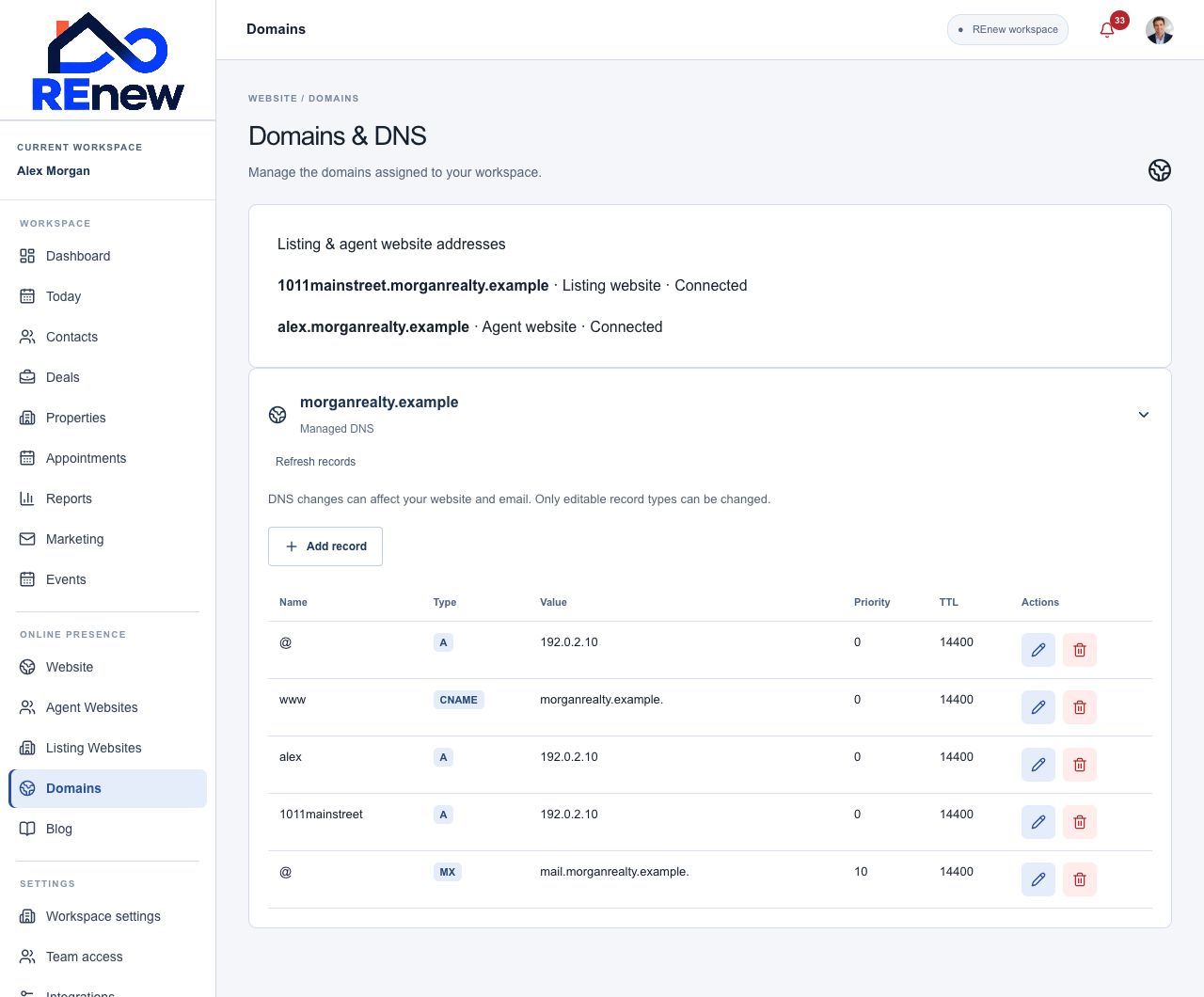
Manage assigned domains, DNS records, and website addresses in one place. Connect your organization, agent, and listing websites to an address that feels like yours.
See domains available to your workspace and which organization owns each assignment. Domain choices follow your organization’s permissions.
Review managed DNS records and, with permission, add, edit, or delete A, AAAA, CNAME, MX, TXT, SRV, and CAA records. Set values, priority, and TTL where relevant.
Connect a subdomain for an agent or listing website, or use an available whole domain. Review website assignments alongside your domains.
Track DNS, hosting, and HTTPS readiness separately so you can see where setup stands.
Supported managed domains can prepare DNS, website hosting, and HTTPS automatically after ownership and conflict checks.
Use setup instructions when another provider hosts your DNS. External records remain managed with that provider.
DNS access is limited to workspace administrators and explicitly authorized users. Review recent changes and refresh records after updates.
Existing website assignments, reserved addresses, and conflicting records are checked before a new website address is connected.
Choose an assigned domain and website address.
Review the DNS records or external setup instructions.
Follow hosting and HTTPS status until the address is connected.